
How to connect your NDIS plan manager to cleaning invoicing

Instead of manually forwarding every cleaning invoice, connect your cleaner with your NDIS plan manager by confirming the billing destination, participant consent and invoice requirements before the first visit. Use this 2026 workflow to agree on who receives, checks and submits each invoice without treating a booking as confirmation of NDIS funding.
TL;DR
- For NDIS plan manager cleaning services, confirm funding suitability and invoice requirements before arranging direct billing.
- Housekept suits households seeking NDIS cleaning services in Sydney, Shoalhaven and Illawarra.
- Direct submission removes participant forwarding; participant-first review gives you an extra checking step.
- Update the cleaner’s billing instructions whenever your plan manager or relevant plan arrangements change.
Why this matters
A cleaning booking and an invoice submission are different tasks. Your cleaner needs instructions about the work; your plan manager needs enough information to assess and process the invoice against your plan.
Housekept is best for households seeking local NDIS cleaning services in Sydney, Shoalhaven and Illawarra. Start with the NDIS cleaning guide for participants and carers if you still need to define the cleaning tasks before discussing billing.
The connection described here is an agreed administrative workflow, not a software integration. You do not need to give your cleaner access to your NDIS account. You need a clear submission route, appropriate permission to share information and a way to resolve invoice queries.
Before you start
- Confirm the funding arrangement. Ask your plan manager whether the proposed cleaning support can be paid from your plan, what information is needed and which current requirements apply. For a 2026 setup, check current guidance rather than copying an old invoice’s support item details.
- Gather the billing materials. Have the plan manager’s verified submission instructions, the participant details they require, the cleaner’s business details, the agreed cleaning scope and the relevant service agreement or written arrangement.
- Set the permission boundary. Confirm who can authorise information sharing and service changes. A family member arranging access is not automatically authorised to approve every change or receive all participant information.
The main gotcha: knowing the plan manager’s email address does not establish that the cleaning is funded. Resolve the funding question before arranging the work, not after receiving an invoice.
Keep these instructions in a secure record accessible only to the people who need them. Do not put account passwords, unnecessary medical information or identity documents into a general cleaning brief.
Cleaning scope and funding checks
Agree on the work before the invoice
- List the actual cleaning tasks you want completed. Separate routine household cleaning from additional requests so the cleaner can describe the work accurately.
- Ask the plan manager to confirm how the proposed support should be described and whether it fits the participant’s plan and applicable NDIS requirements. Send the proposed scope, not just the phrase house cleaning.
- Agree on how changes will be authorised. Name the person who can request additional work and the person who must confirm any funding question.
- Record the intended start date, visit frequency and service location. These are instructions to agree, not assumed inclusions in a provider’s service.
Expected result: the participant, cleaner and plan manager have matching information about the proposed support before billing starts.
Avoid treating an existing cleaning arrangement as permission for every future request. A change from routine cleaning to a different task needs its own check when the scope or funding basis changes.
For Housekept NDIS cleaning services, discuss both the household tasks and the billing arrangement. The service description establishes local coverage; it does not establish a particular plan manager connection, portal integration or payment policy.
Submission route and consent
Choose who sends the invoice
- Ask the plan manager for their accepted submission method and required participant identifiers. Use verified contact details rather than an address copied from an unconfirmed message.
- Choose whether the cleaner sends invoices directly or sends them to the participant or authorised representative first.
- Confirm what consent or authority is needed for the cleaner and plan manager to exchange relevant invoice information.
- Tell both parties who handles queries, who checks the work and who receives status updates. Do not assume everyone copied into an email can approve the invoice.
Expected result: each person knows where the invoice goes and who answers questions about it.
Choose the route according to how much review you want before submission, not simply which route has fewer emails.
Cleaner submits directly
- Best for: Participants who want less invoice forwarding
- Advantage: Removes the participant’s forwarding step
- Limitation: Needs clear consent and a separate way to report disputed work
Participant-first review
- Best for: Participants or representatives who want to check each invoice
- Advantage: Gives you a checkpoint before submission
- Limitation: Requires someone to review and forward each invoice
Neither route guarantees payment. The invoice still needs to meet the plan manager’s requirements and relate to an eligible support under the participant’s arrangements.
Keep submission separate from approval
Sending an invoice is not the same as confirming the service was delivered correctly. Decide how you will raise a missed task, incorrect date or disputed entry before choosing direct submission.
For example, you can ask for a copy of each invoice while allowing the cleaner to submit it directly, if the parties agree. That preserves visibility without making you responsible for forwarding every document.
Invoice details and first-visit check
Set up the billing record
- Give the cleaner the verified submission destination and the participant identifiers requested by the plan manager. Share only what is necessary for billing.
- Ask the cleaner to include clear invoice details: a unique invoice number, business identity, participant reference, service date, description of work and the relevant quantity or duration. Confirm any additional requirements with the plan manager.
- Obtain the applicable support item information from the plan manager where required. Do not select an item solely because its title sounds like cleaning.
- Keep the service address and invoice destination as separate details. The person living at the property is not necessarily the person receiving the invoice.
- Confirm how corrections will be handled, including how a replacement invoice will be distinguished from the original.
Expected result: the cleaner has enough verified information to prepare an invoice without guessing the recipient, service description or participant reference.
These are billing details to agree, not universal software field names. Enter them into the cleaner’s invoicing system according to that system’s actual layout.
Keep 2 separate records: the cleaning instructions and the billing instructions. Cleaning staff need task and access information; billing staff need submission details. Separating them helps you avoid sharing participant information with people who do not need it.
Check the first completed visit
- After 1 completed visit, check the invoice against the work delivered. Verify the service date, description and quantity or duration.
- Submit through the agreed route. If you chose direct submission, confirm who will check for receipt using the plan manager’s usual process.
- Resolve any missing information before repeating the workflow for later visits.
- Save the confirmed instructions with a review date. Label a new record 2026 billing instructions so it is distinguishable from superseded arrangements.
Expected result: the first invoice tests the process before the same error repeats across later visits.
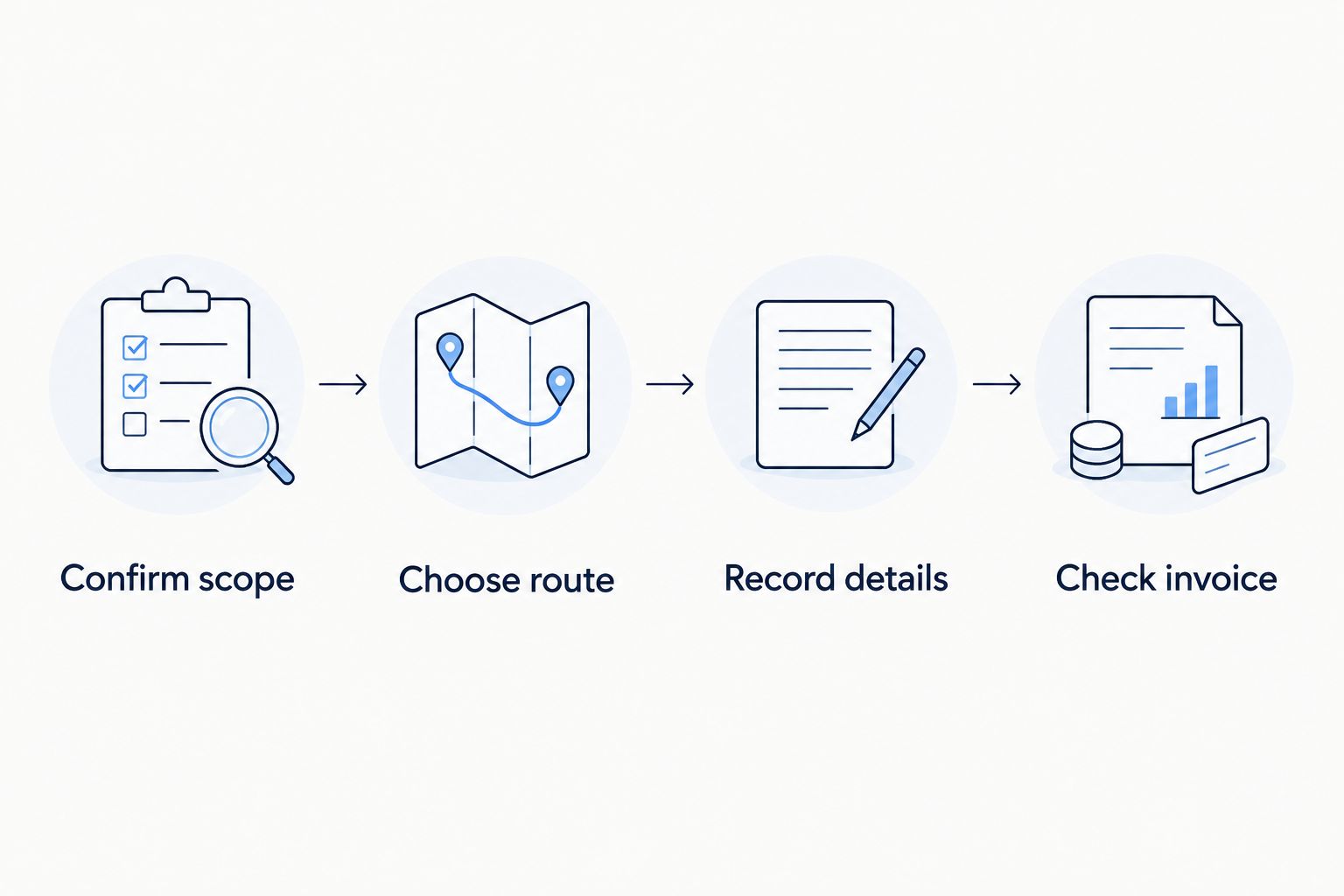
Confirm the billing route before repeating it for later cleaning visits.
Use the same sequence for each new arrangement: Confirm scope, Choose route, Record details, then Check invoice. A successful submission confirms that the administrative route worked; it does not replace checking later invoices against the actual work.
When your plan manager changes
You do not need to rebuild the cleaning brief when only the billing contact changes. You do need to establish which manager handles which service dates and how outstanding invoices will be managed.
- Ask the outgoing and incoming managers to clarify responsibility for outstanding invoices and the changeover date. Keep their instructions in writing.
- Give the cleaner the new verified submission details and any required updated consent.
- List invoices already submitted, invoices awaiting correction and work not yet invoiced. Keep the status attached to each invoice number.
- Stop using superseded submission instructions once the change takes effect. Do not send an unresolved invoice to both managers without first clarifying responsibility.
- Check the first invoice under the new arrangement before treating the changeover as complete.
Expected result: each invoice has one identified submission route, including work around the changeover date.
Review the record whenever the participant’s relevant plan arrangements change, not just when the manager changes. A 2026 renewal or reassessment is a prompt to verify instructions, not permission to assume the old billing details remain correct.
Troubleshooting
The plan manager cannot match the invoice
Fix: compare the participant identifiers on the invoice with the plan manager’s requirements. Ask which detail is missing or inconsistent, then have the cleaner correct it through the agreed process.
Do not resend the same invoice repeatedly without identifying the mismatch. Keep a record of the correction so later invoices use the right details.
The invoice describes the wrong work
Fix: compare the invoice with the agreed scope and the work actually completed. Ask the cleaner for an accurate description; do not change the wording merely to make an ineligible task look claimable.
If the task itself is outside the agreed arrangement, resolve the scope and funding question before booking it again.
The invoice has been submitted twice
Fix: identify the duplicate using the invoice number and notify the plan manager. Confirm whether the participant or cleaner will submit future invoices so both do not keep forwarding them.
Keep the original invoice identity clear. A correction should not look like a second charge for the same visit.
Payment has not arrived
Fix: establish whether the invoice was received, whether more information is needed and whether it is awaiting assessment or another action. Ask for the specific next step rather than assuming the cleaner sent it incorrectly.
Keep receipt, query and payment status separate. A submission confirmation is not a payment confirmation.
An invoice contains changed bank details
Fix: verify the change with the cleaner through an established contact method before acting. Do not rely solely on the contact details supplied in the message announcing the change.
Share the verified correction with the person responsible for payment. Avoid circulating bank information through a large household email chain.
Customise your workflow
Once the first invoice has passed through the agreed process, add only the controls your household needs. More recipients and more documents do not automatically make billing clearer.
- For regular visits: agree on how completed work is recorded and when invoices are submitted. Do not assume a particular invoicing frequency.
- For changing household needs: keep service changes in writing and confirm funding questions before additional work starts.
- For representative involvement: record the agreed authority and communication boundaries rather than copying everyone into every message.
- For sensitive information: keep the invoice description factual and relevant. Ask what information is required before attaching supporting documents.
Housekept offers NDIS cleaning alongside other residential and commercial cleaning services. Its stated service areas are Sydney, Shoalhaven and Illawarra; confirm the proposed work and billing arrangement for your address before booking.
Discuss your cleaning needs
Confirm your cleaning scope and ask about billing arrangements before booking.
FAQ
How do I connect my NDIS plan manager to my cleaner?
Agree on the cleaning scope, verify the plan manager’s invoice submission instructions and confirm the necessary consent. Then give the cleaner the required billing details and check the first completed visit’s invoice.
Can my cleaner send invoices straight to my plan manager?
Direct submission is an option when the participant, cleaner and plan manager agree on the process and required permissions. Confirm the accepted submission route and how you will raise any concerns about the work.
Does having a plan manager mean my cleaning is automatically funded?
No, plan management does not make every cleaning request eligible for NDIS funding. Confirm the proposed support against your plan and current requirements before arranging the work.
What details should a cleaning invoice include?
A cleaning invoice should clearly identify the business, participant reference, invoice number, service date, work delivered and relevant quantity or duration. Ask the plan manager about any additional details or support item information required.
Do I need to share my NDIS login with the cleaner?
No, this billing workflow does not require sharing your NDIS login. Provide the agreed invoice details and permissions instead of account access.
What happens if I change plan managers?
Verify the new submission instructions and establish who handles outstanding invoices and service dates around the changeover. Give the cleaner updated details and check the first invoice under the new arrangement.
Can Housekept provide NDIS cleaning in my area?
Housekept provides NDIS cleaning services across Sydney, Shoalhaven and Illawarra. Confirm service coverage for your address, the proposed tasks and the billing arrangement before booking.
One last thing
The most useful billing record is not an email address; it is a clear responsibility map. Write down who submits, who checks the work and who resolves a query. Review that map alongside your 2026 billing instructions whenever a person, manager or service arrangement changes.